

Google Gemini AI has quickly become one of the most powerful tools for editing & enhancing photos with precision, realistic details, and cinematic depth. Whether you are a content creator, influencer, model, entrepreneur, or simply someone who wants a professional-looking portrait, Gemini’s ability to generate 4K HD quality edits makes it incredibly valuable.
The best part? You don’t need high-end photography gear anymore. Just feed the right prompt, and Gemini can turn an ordinary picture into a polished, studio-grade portrait.

In this article, we will cover the 12 best Gemini AI photo editing prompts for men, specially crafted to help you create:
- 4K HD portraits
- Sharp and natural facial details
- Realistic lighting
- Confident masculine looks
- Professional, social-media-ready photos
These prompts are suitable for profile pictures, portfolios, business websites, Instagram posts, YouTube thumbnails, and more.
Why Use Google Gemini AI for Men’s Portrait Editing?
Google Gemini AI is powerful because it focuses on realistic improvement rather than artificial over-editing. For men’s portraits, this is especially important—most men prefer:
- Natural enhancements
- Balanced skin tone
- Strong jawline definition
- Clean lighting without heavy filters
- A sharp, confident look
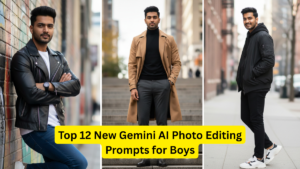
Gemini handles all these aspects smoothly while keeping the portrait genuine and not overly processed.
12 Best Google Gemini AI Photo Editing Prompts for Men (4K HD Portraits)
Below are the 12 top-performing prompts, ready to paste into Gemini.
You can use them for selfies, studio shots, casual photos, and travel portraits.
1. Clean Professional Headshot (Corporate Look)
Prompt:
“Enhance this portrait into a clean professional corporate headshot. Improve facial clarity, even out skin tone, sharpen jawline, brighten eyes slightly, and apply soft natural lighting. Maintain natural look. Output in ultra-realistic 4K HD.”
Perfect for:
LinkedIn, resumes, business portfolios.
2. Cinematic Moody Portrait (Film Look)
Prompt:
“Transform this image into a cinematic portrait with soft dramatic lighting. Add film-style contrast, detailed skin texture, sharp eyes, and depth-of-field background blur. Keep colors realistic. Output in 4K HD film-quality style.”
Perfect for:
Instagram photos, creative shoots, reels.
3. Sharp Gym-Fit Portrait (Active Look)
Prompt:
“Enhance this photo with a sharp athletic portrait style. Increase clarity, highlight facial structure, sharpen beard lines, add subtle shadows for definition, and maintain a natural skin tone. Export in 4K HD fitness-photo quality.”
Perfect for:
Fitness influencers, gym branding, transformation posts.
4. Outdoor Travel Portrait (Natural Lighting)
Prompt:
“Improve this photo with vibrant natural outdoor lighting. Enhance sky colors, brighten skin naturally, increase sharpness, and add soft background depth. Maintain realistic tones. Produce a 4K HD travel portrait.”
Perfect for:
Travel bloggers, scenic photos.
5. Modern Casual Portrait (Social Media Style)
Prompt:
“Create a soft-modern social media portrait. Smooth skin lightly, keep texture natural, enhance hair details, adjust colors to warm tones, and apply high-quality mobile photography style. Output in 4K HD.”
Perfect for:
Instagram, Facebook, general profile pictures.
6. Studio-Lighting Male Portrait (High-End Look)
Prompt:
“Turn this image into a high-end studio portrait with controlled lighting, clean shadows, detailed skin texture, and a clear 4K HD finish. Maintain authenticity and natural facial features.”
Perfect for:
Model portfolios, brand shoots, thumbnails.
7. Ultra-Realistic Beard Enhancement Portrait
Prompt:
“Enhance beard sharpness and texture while keeping it natural. Improve skin clarity, define jawline, brighten eyes slightly, and apply soft contrast. Deliver an ultra-realistic 4K HD portrait.”
Perfect for:
Men with beards, grooming content, salon profiles.
8. Minimalistic Black & White Portrait (Classic Style)
Prompt:
“Convert this into a minimalistic black & white portrait with premium grayscale tones, deep blacks, sharp highlights, and high-definition facial texture. Keep expression natural. Output in 4K HD.”
Perfect for:
Artistic profiles, model shots, professional branding.
9. Gentleman Formal Portrait (Suit & Tie Look)
Prompt:
“Enhance this portrait with a classic gentleman’s formal look. Improve lighting, sharpen clothing details, refine skin texture, add soft cinematic shadows, and keep elegance intact. Output in 4K HD quality.”
Perfect for:
Wedding photos, event portraits, corporate branding.
10. High-Contrast Editorial Portrait (Magazine Style)
Prompt:
“Apply an editorial photoshoot style with bold lighting, strong contrast, sharp textures, and clean facial features. Add magazine-like clarity. Produce a 4K HD editorial portrait.”
Perfect for:
Fashion content, brand collaborations.
11. Warm Golden Hour Portrait (Sunset Mood)
Prompt:
“Enhance with golden-hour lighting, warm highlights, soft ambient glow, and dramatic shadows. Sharpen facial details and maintain realism. Export in 4K HD.”
Perfect for:
Travel, beach photos, aesthetic portraits.
12. Minimal-Retouch Natural Male Portrait
Prompt:
“Improve this portrait with minimal retouching. Slightly enhance visibility, correct lighting, reduce blemishes subtly, sharpen eyes, and keep fully natural texture. Deliver a 4K HD natural portrait.”
Perfect for:
Men who prefer subtle and realistic results.
Comparison Table: Best Gemini AI Photo Editing Prompts for Men
| Prompt Style | Best For | Editing Intensity | Output Quality |
|---|---|---|---|
| Clean Professional Headshot | Corporate, LinkedIn | Low | 4K HD |
| Cinematic Moody Portrait | Creative, Instagram | Medium | 4K HD |
| Gym-Fit Athletic Portrait | Fitness | Medium | 4K HD |
| Travel Outdoor Portrait | Nature, Travel | Medium | 4K HD |
| Modern Social Media Portrait | Daily Use | Low | 4K HD |
| High-End Studio Portrait | Modeling | High | 4K HD |
| Beard Enhancement Portrait | Grooming | Medium | 4K HD |
| Black & White Classic Portrait | Artistic | Medium | 4K HD |
| Gentleman Formal Portrait | Events | Medium | 4K HD |
| Editorial Magazine Portrait | Fashion | High | 4K HD |
| Golden Hour Portrait | Aesthetic | Medium | 4K HD |
| Minimal Natural Portrait | Simple Edits | Low | 4K HD |
Tips for Getting the Best Results With Gemini AI Portrait Prompts
Using Gemini effectively is just as important as using the right prompts. Here are some expert tips:
1. Use a Photo With Good Lighting
Even AI works better with some base clarity. A well-lit photo gives much sharper output.
2. Keep Background Simple
AI performs better when the background isn’t overly noisy.
3. Avoid Heavy Filters Before Editing
Too many pre-applied filters confuse AI models and cause unrealistic results.
4. Try Multiple Variations
Small changes in prompt words (like “cinematic,” “soft,” “natural,” etc.) can create big differences.
5. Keep Realistic Expectations
Gemini enhances—don’t expect it to completely transform identity or generate unsafe content.
Final Thoughts
Google Gemini AI is an excellent tool for men who want modern, clean, and realistic 4K HD portraits without the need for expensive studio setups. With the right prompts, your photos can look professional, confident, and highly polished.
Whether you want a business headshot, a gym portrait, a fashion editorial look, or a natural social media picture, Gemini can deliver stunning results in seconds.
Try experimenting with the 12 prompts above, mix them with your personal style, and you’ll see how dramatically your photos improve.