
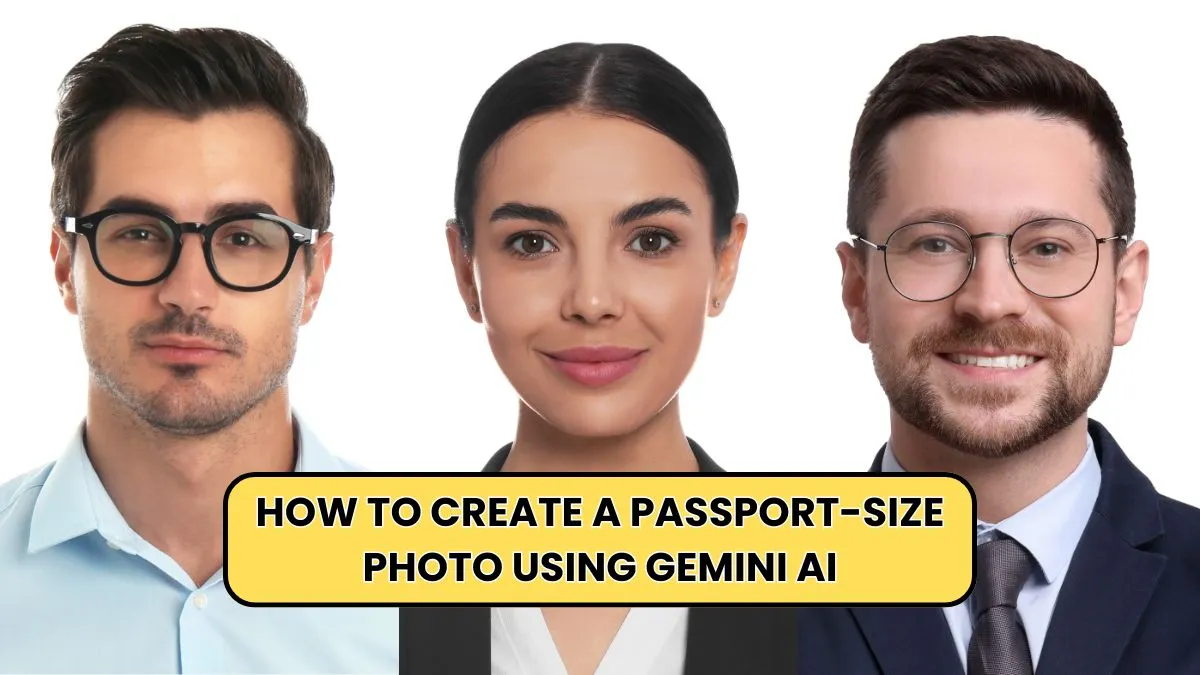
Creating digital photos for official documents is easier than ever, thanks to powerful AI tools. If you’re wondering how to create a passport-size photo using Gemini AI, this guide gives you everything you need—step-by-step instructions, practical tips, important size standards, and optimized techniques. Many users prefer AI-based tools because they eliminate manual editing, save time, and deliver high-quality results that meet official dimensions.
Gemini AI stands out due to its smart background removal, instant resizing, and ability to enhance clarity automatically. Whether you need photos for passports, visas, job applications, or academic forms, learning how to create a passport-size photo using Gemini AI ensures accuracy, convenience, and professional output every time.
Why People Prefer AI for Passport Photos

Artificial intelligence has changed the way we prepare passport photos, offering more efficiency and precision than traditional editing tools. Gemini AI allows users to generate ready-to-use images in seconds, which is especially useful for urgent applications. With automatic cropping, smart face detection, and accurate color correction, the tool removes the struggle of doing everything manually.
Users also get consistent results without worrying about lighting issues or improper backgrounds. The reliability of AI ensures that the final output meets important guidelines, which prevents rejection by authorities.
Most importantly, the process is easy even for beginners, making how to create a passport-size photo using Gemini AI an ideal skill for anyone. This combination of speed, simplicity, and accuracy is the biggest reason AI has become the preferred method for photo preparation.
Standard Passport Photo Requirements You Must Know

Before learning how to create a passport-size photo using Gemini AI, understanding global passport standards is essential. Most countries require a white or light background, a neutral facial expression, and no filters or shadows. The head must be centered and visible from the chin to the crown.
Clothing should be simple, with no reflective accessories. Image dimensions vary depending on the region, but AI tools can auto-adjust to meet the correct ratio. Knowing these details helps you avoid unnecessary rejections during official submissions.
Gemini AI simplifies these requirements by automatically applying the right crop, brightness, and clarity adjustments. Once you know the rules, generating compliant photos becomes even easier, ensuring that your image is acceptable for digital uploads and printed versions.
Step-by-Step Guide: How to Create a Passport-Size Photo Using Gemini AI
Learning how to create a passport-size photo using Gemini AI is simple once you know the steps. First, upload a clear photo taken in good lighting with your face fully visible. Gemini AI will instantly detect your face and adjust the frame. Next, choose the appropriate passport-size dimensions for your country. The AI then removes the background and replaces it with a clean white or light tone.
After this, the tool applies enhancements such as sharpness correction and brightness balancing. You can preview the final image and save it as a high-resolution JPG or PNG file. This step-by-step workflow ensures that anyone can create professional passport photos without technical skills, making the process fast, convenient, and error-free.
Common Passport Photo Sizes by Country
| Country | Photo Dimensions | Background Color |
|---|---|---|
| USA | 2 × 2 inches | White |
| India | 35 × 45 mm | White |
| UK | 35 × 45 mm | Light Grey |
| Canada | 50 × 70 mm | White |
Key Features That Make Gemini AI Perfect for Passport Photos
Gemini AI includes several smart features that simplify the passport photo creation process. It uses facial-recognition algorithms to detect head position and apply perfect cropping automatically. Background removal ensures your image meets global standards without manual editing. The tool also enhances brightness, reduces shadows, and sharpens facial details for a clear and high-quality finish.
Multi-size export options allow you to download the same image for different countries instantly. These features reduce errors and ensure the photo is acceptable for online applications and printing. Understanding these benefits makes it easier to appreciate how to create a passport-size photo using Gemini AI and why the tool is preferred over traditional photo editing methods.
Benefits of Using Gemini AI vs Manual Editing
| Task | Gemini AI | Manual Editing |
|---|---|---|
| Background Removal | Automatic | Time-consuming |
| Cropping Accuracy | High | Depends on skill |
| Lighting Correction | Smart Auto-Fix | Manual adjustments |
| Results Speed | Seconds | Several minutes |
Tips for Capturing the Perfect Photo Before Using Gemini AI
Even though Gemini AI is powerful, starting with a good-quality photo ensures the best results. Use natural lighting or a bright indoor light source to avoid harsh shadows. Stand at least one arm’s length from the camera for a clear, flattering angle. Keep a neutral facial expression without exaggerated smiles. Make sure your hair does not cover your eyes and avoid flashy accessories.
Wear solid-colored clothing that contrasts the background. Once your photo is ready, upload it to Gemini AI and let the tool process it automatically. These simple habits will significantly improve your final output when learning how to create a passport-size photo using Gemini AI, ensuring your image meets global standards.
How to Use Gemini AI for Different Document Photos
You can use the same method to create photos for passports, visas, ID cards, resumes, and online applications. Visa photo requirements differ from country to country, but Gemini AI offers preset templates for quick selection. Resume photos require softer lighting and a friendly look, while academic IDs prefer clean, professional appearances.
Official government portals usually need JPEG images under specific file sizes, and Gemini AI includes automatic compression to match these requirements. Whether you are applying for international travel or a job online, knowing how to create a passport-size photo using Gemini AI saves time and ensures your image is always accepted. This versatility makes the tool a complete solution for all documentation needs.
Common Mistakes to Avoid When Using AI Tools
Some users make simple mistakes that lead to poor results. Uploading a blurred or low-light image reduces clarity, even with AI enhancement. Wearing patterned clothing may interfere with clean background correction. Taking photos too close to the camera can distort proportions. Applying beauty filters or heavy makeup may cause your picture to be rejected during official verification.
Always choose a natural, unedited base image. Avoid busy backgrounds, uneven lighting, or tilted angles. These mistakes are easy to fix and help you get the best results when learning how to create a passport-size photo using Gemini AI. Paying attention to these details ensures your final output is sharp, professional, and compliant with government guidelines.
Why Gemini AI Is a Better Option Than Mobile Editing Apps
Many mobile apps offer basic tools for resizing, but they often miss professional features required for official documentation. Gemini AI provides advanced algorithms that handle everything from background removal to face proportion adjustments. It delivers consistent results that do not compromise quality. Mobile apps may introduce blur or distortion during export, while Gemini AI maintains high resolution for both digital and printed use.
Additionally, Gemini AI offers preset sizes for different countries, ensuring accuracy without manual calculation. This reliability makes it easier for users to understand how to create a passport-size photo using Gemini AI, compared to experimenting with multiple apps that may not meet international standards.
Conclusion
Now you know exactly how to create a passport-size photo using Gemini AI, making it simple to generate professional, high-quality images for any official documentation. Gemini AI offers smart features, quick processing, accuracy, and ease of use, ensuring your photo meets global requirements without hassle.
Whether you’re preparing for international travel, job applications, or academic forms, mastering how to create a passport-size photo using Gemini AI gives you a convenient and reliable solution for every situation.