


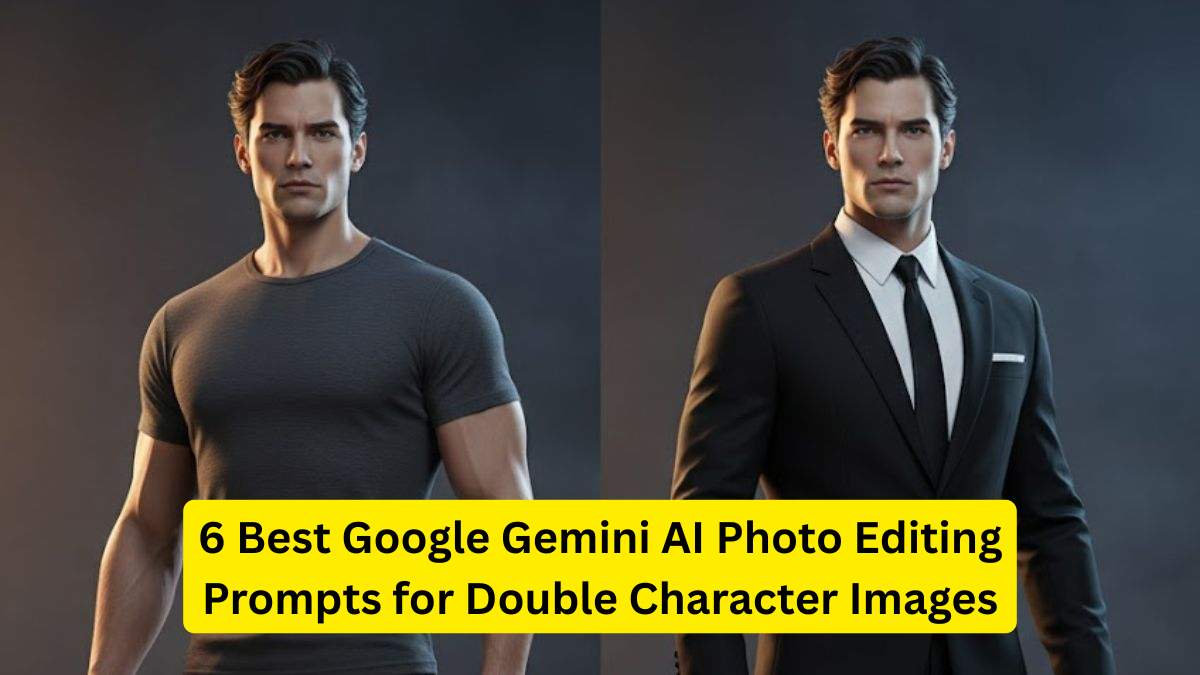
Google Gemini AI has quickly become one of the most powerful tools in the world of creative editing, especially when it comes to generating double character images. Whether you’re a creator, content strategist, influencer, graphic designer, or someone who just loves experimenting with photos, Gemini allows you to produce cinematic dual-character portraits, clones, split personalities, mirrored compositions, and more — all with simple prompts.
Creating double character images used to require advanced Photoshop skills, hours of masking, and blending. But with Gemini AI’s multimodal capabilities, anyone can achieve professional-level visual effects with just the right prompt.


This article lists the 6 best Google Gemini AI prompts for generating stunning double-character images. These prompts are clean, optimized, and structured so that Gemini delivers high-quality results every time.
Table: Best Google Gemini AI Double Character Prompts
1. Dual Personality Portrait Prompt
One of the most popular double-character styles is the Dual Personality Portrait, where the same person appears in two completely different moods or roles. Gemini AI can recreate this effect beautifully with well-designed prompts.
Why This Works Well in Gemini
- Gemini understands emotional cues.
- It can separate two personalities clearly in the same visual frame.
- Perfect for dramatic storytelling.
Best Prompt to Use
Prompt:
“Create a dual personality portrait of the same person, where one side looks calm, gentle, and angelic, and the other side appears intense, bold, and rebellious. Place both characters standing next to each other with contrasting lighting. Add cinematic shadows, sharp details, and a soft background blur.”
Creative Use Cases
- Motivational posts
- Mental health awareness graphics
- Book covers or story illustrations
- Character transformation visuals
2. Twin Character Mirror Shot Prompt

A mirror-style double character image is great for creating twin effects, clone aesthetics, or symmetrical compositions.
Why It Works Well
- Gemini AI creates clean symmetry.
- Works for fashion shoots, dance themes, aesthetic edits, and clone-based visuals.
Best Prompt
Prompt:
“Generate a twin mirror shot featuring the same person duplicated as identical characters, both facing each other like a reflection. Use crisp studio lighting, high detail skin texture, slight ambient shadows, and a glossy floor reflection effect.”
Best Situations to Use
- Instagram clone edits
- Before/after styling
- Duo-themed posters
- Creative reels thumbnail creation
3. Hero vs Villain Character Split Prompt
The classic hero vs villain theme is a powerful way to show contrast. Gemini AI makes this duality look sharp, dramatic, and cinematic.
Why It Works Well
- Gemini handles costume contrasts.
- It adds dramatic shadows automatically.
- Great for fictional character concepts.
Best Prompt
Prompt:
“Create a hero vs villain double-character composition featuring the same person. On one side, show the character as a hero with bright colors, glowing highlights, and confident posture. On the other side, show the villain version with dark tones, red accents, smoky textures, and intense eye contact. Add cinematic lighting.”
Uses
- Character concept art
- Gaming thumbnails
- Movie posters
- Storytelling visuals
4. Future Self vs Past Self Portrait Prompt
One of the most trending dual character themes is the comparison of someone’s past vs future self. This type of edit is emotionally powerful and works extremely well on social media platforms.
Why Gemini AI Excels
- Understands age progression and regression.
- Maintains identity consistency.
- Creates natural contrast between timelines.
Best Prompt
Prompt:
“Generate a dual character portrait showing the same person as their past self and future self. Past self should look young, simple, and casual, while future self looks mature, confident, and well-dressed. Add soft depth-of-field, warm lighting on one side, and cool tones on the other.”
Ideal Uses
- Self-growth posts
- Life transformation content
- Motivation pages
- Personal storytelling
5. Angel vs Shadow Character Portrait Prompt
This double character theme blends symbolism with aesthetics. One side represents light, while the other showcases a shadow version.
Why Gemini Performs Well
- Understands symbolic lighting.
- Can merge fantasy + realism.
- Creates high-contrast dramatic portraits.
Best Prompt
Prompt:
“Create a double character portrait where one version of the person appears as an angel with soft white lighting, feathers, and a glowing aura, while the other version appears as a shadow figure with dark smoke, deep shadows, and red highlights. Keep both characters in the same frame with a cinematic fantasy style.”
Best Uses
- Fantasy art
- Spiritual concepts
- Social media aesthetics
- Symbolic storytelling
6. Cosmic Duplicate Portrait Prompt
A futuristic and sci-fi inspired double character prompt. This creates a cosmic, parallel-universe duplicate — perfect for creators who love space aesthetics.
Why It’s Effective
- Gemini renders futuristic details beautifully.
- Unique lighting effects.
- Works well with modern themes.
Best Prompt
Prompt:
“Generate a cosmic duplicate double-character portrait featuring the same person alongside their sci-fi version. Use galaxy textures, blue and purple light effects, star particles, hologram lines, and a dark futuristic background. Keep both characters detailed and symmetrical.”
Where It’s Used
- Sci-fi posters
- Tech thumbnails
- Futuristic magazine covers
- Digital art concepts
How to Write the Perfect Gemini Prompt for Double Characters
To get the best output from Google Gemini, your prompt must follow a structure:
1. Mention “double character” clearly
This ensures Gemini understands the need for two versions of the same person.
2. Describe each character separately
The AI works best when both characters have clear traits.
3. Add lighting instructions
Lighting influences realism and mood significantly.
4. Specify background & texture
This prevents messy, inconsistent environments.
5. Mention the style (cinematic, fantasy, realistic, etc.)
Gemini gives more accurate results when given a specific art direction.
Best Practices for Double Character AI Images
✔ Use high-resolution inputs
Clear images produce more realistic double characters.
✔ Keep prompts descriptive but not too long
Precise details work better than overly long sentences.
✔ Experiment with styling words
Examples: cinematic, symmetrical, moody, high-contrast, neon-lit.
✔ Make sure both characters match the identity
This avoids AI confusion.
✔ Try different color themes
Warm vs cool
Dark vs bright
Neon vs natural
Conclusion
Google Gemini AI has opened a new creative world where double character images can be made instantly with the right prompts. From hero-vs-villain dramatics to futuristic cosmic duplicates, these AI-generated edits are perfect for storytellers, digital creators, and artists. The prompts above will help you produce cinematic visuals without needing advanced editing skills.
As Gemini evolves, double character imagery will only get more realistic, expressive, and customizable. Whether you’re designing thumbnails, posters, or artistic portraits — these prompts give you a strong starting point for breathtaking results.