

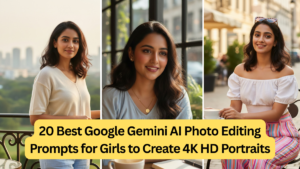
AI photo editing has completely changed the way portraits are created, especially for women who want studio-quality 4K HD portraits without expensive cameras, makeup artists, or professional photographers. With the power of Google Gemini, you can now transform ordinary photos into stunning, hyper-realistic portraits using nothing but well-crafted prompts.
In this detailed guide, you’ll learn 13 highly effective Google Gemini AI photo editing prompts for women, designed to generate natural skin tones, flawless lighting, realistic textures, and cinematic depth. Whether you’re creating portraits for Instagram, LinkedIn, modeling portfolios, personal branding, or profile pictures, these prompts will help you achieve professional results in 4K HD resolution.
Why Google Gemini AI Is Ideal for Women’s Portrait Editing
Before diving into the prompts, it’s important to understand why Google Gemini works exceptionally well for portrait enhancement.
Key Advantages of Gemini AI for Female Portraits
- Advanced facial symmetry correction
- Natural skin retouching without plastic effects
- Accurate hair texture and color rendering
- Smart lighting and shadow balancing
- Ultra-clear 4K HD output
Unlike many AI tools that over-smooth skin or distort facial features, Gemini focuses on realistic beauty, making it perfect for women who want enhanced yet authentic portraits.
How to Write Perfect AI Photo Editing Prompts
To get consistent, high-quality results from Gemini AI, your prompts should include:
- Resolution (4K, ultra-HD)
- Lighting style (soft studio light, natural sunlight, cinematic glow)
- Skin texture preference (natural, detailed, realistic)
- Mood or emotion (confident, elegant, calm)
- Background style (studio, outdoor blur, minimalist)
- Camera simulation (DSLR, 85mm lens look, shallow depth of field)

The more specific you are, the better the final image quality.
Table: 13 Best Google Gemini AI Photo Editing Prompts for Women
| No. | Prompt Purpose | Gemini AI Photo Editing Prompt |
|---|---|---|
| 1 | Natural Beauty Portrait | “Enhance this photo into a 4K HD portrait of a woman with natural skin texture, soft lighting, balanced facial features, realistic shadows, and minimal retouching.” |
| 2 | Professional Studio Look | “Convert this image into a professional studio-style 4K portrait with smooth lighting, realistic skin tone, sharp facial details, and a neutral background.” |
| 3 | Glamour Portrait | “Create a high-end glamour portrait in 4K resolution with elegant makeup, glossy lips, defined eyes, and soft cinematic lighting.” |
| 4 | Outdoor Natural Light | “Edit this photo into a 4K outdoor portrait with natural sunlight, soft background blur, realistic skin tones, and gentle highlights.” |
| 5 | Instagram Model Style | “Transform this image into a trendy Instagram-style 4K HD portrait with flawless skin, vibrant colors, shallow depth of field, and modern aesthetics.” |
| 6 | Corporate Headshot | “Generate a professional corporate headshot in 4K resolution with clean lighting, confident expression, sharp details, and formal appearance.” |
| 7 | Traditional Elegance | “Enhance this portrait into a traditional elegant 4K HD image with rich colors, smooth lighting, realistic textures, and cultural grace.” |
| 8 | Cinematic Portrait | “Create a cinematic 4K portrait with dramatic lighting, soft shadows, detailed skin texture, and a film-like depth of field.” |
| 9 | Soft Feminine Look | “Edit this photo into a soft feminine 4K HD portrait with pastel tones, gentle lighting, smooth yet realistic skin, and calm mood.” |
| 10 | High-Fashion Editorial | “Transform this image into a high-fashion editorial portrait in 4K with bold lighting, sharp details, flawless skin, and magazine-style finish.” |
| 11 | Minimalist Portrait | “Enhance this photo into a minimalist 4K HD portrait with clean background, natural skin texture, soft light, and balanced composition.” |
| 12 | Artistic Beauty Shot | “Create an artistic 4K portrait with creative lighting, subtle color grading, realistic facial details, and aesthetic elegance.” |
| 13 | Royal Portrait Style | “Edit this image into a royal-style 4K HD portrait with rich tones, graceful lighting, refined facial features, and premium quality finish.” |
How These Prompts Improve 4K HD Quality
Each prompt above is structured to help Gemini AI understand:
- Texture preservation – avoids artificial smoothness
- Lighting realism – no harsh highlights or shadows
- High pixel clarity – suitable for large screens and printing
- Face accuracy – no unwanted AI distortions
By consistently using terms like 4K HD, realistic skin texture, professional lighting, and sharp details, you signal Gemini to prioritize image quality over filters.
Best Use Cases for These AI Portrait Prompts
These prompts are ideal for:
- Social media influencers
- Personal branding
- LinkedIn & corporate profiles
- Modeling portfolios
- Creative photography projects
- Profile photos for women entrepreneurs
They work equally well for casual selfies and professional photos.
Tips to Get Even Better Results with Gemini AI
- Upload clear, well-lit original photos
- Avoid heavy makeup in the original image
- Use one prompt at a time
- Experiment with words like soft, cinematic, or natural
- Always specify 4K or ultra-HD resolution
Small changes in wording can significantly improve output quality.
Common Mistakes to Avoid
- Using vague prompts like “make it beautiful”
- Skipping resolution details
- Asking for too many styles in one prompt
- Overusing “perfect skin” (can cause plastic look)
Clarity and simplicity always win with AI prompts.
Final Thoughts
Google Gemini AI has made professional portrait editing accessible to every woman, regardless of photography skills or equipment. With the 13 powerful AI photo editing prompts shared in this guide, you can consistently create stunning 4K HD portraits that look realistic, elegant, and high-end.
Whether you’re enhancing a selfie or creating a brand-ready portrait, the right prompt is the key—and now you have the best ones in one place.