
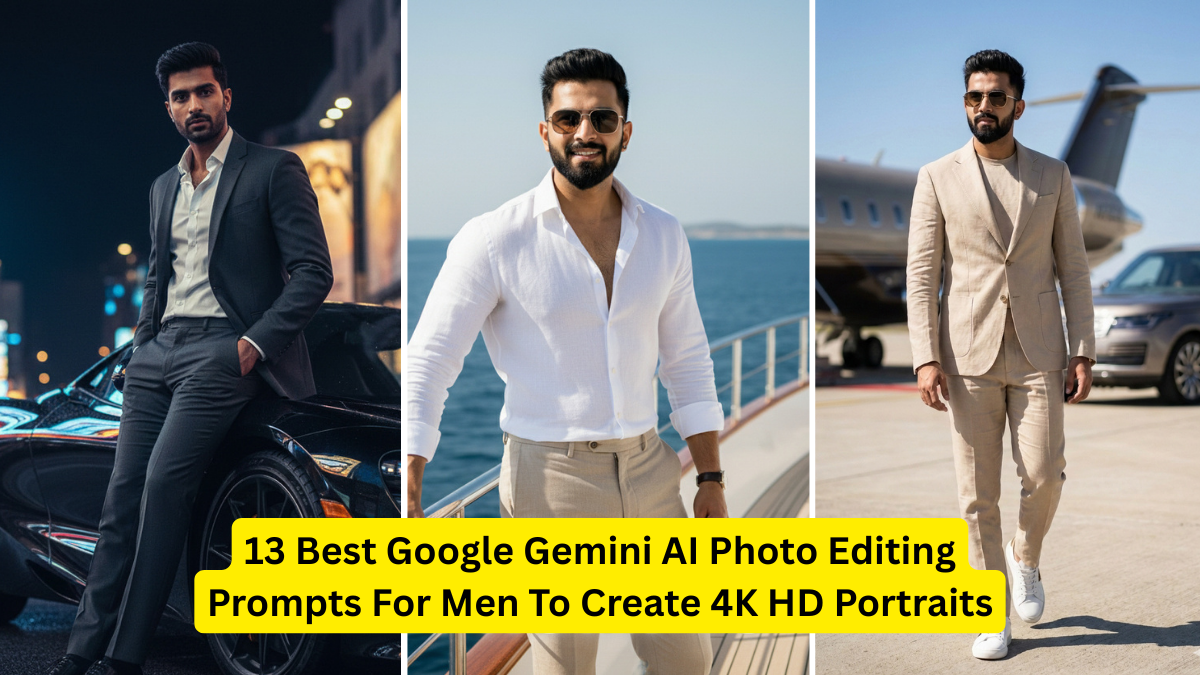
Creating high-quality portraits has become easier than ever thanks to Google Gemini AI. Whether you’re building your personal branding, upgrading your social media profile, designing website images, or simply exploring creativity, Gemini’s photo editing and generation prompts can transform ordinary photos into 4K HD masterpieces.
Men often look for portrait styles that highlight confidence, professionalism, sharp features, and modern aesthetics. With the right prompts, Gemini AI can enhance skin texture, lighting, background, clothing style, and overall atmosphere—without making the image look unnatural.
In this article, you’ll find the 13 best Google Gemini AI prompts specifically crafted for men to produce ultra-realistic, cinematic, and crisp 4K HD portraits.
Why Use Google Gemini AI for Photo Editing?
Google Gemini AI offers:
- Ultra-realistic portrait enhancement
- Precise lighting and skin tone adjustments
- High-resolution (4K) output
- Smart retouching without over-editing
- Professional-grade aesthetics for free
By using the right prompts, you can guide the AI to produce studio-quality male portraits that look professional and visually stunning.
Table: Best Google Gemini AI Prompts for Men
Below is a quick overview of the prompts you will find with details later:
| # | Prompt Style | Best For | Output Quality |
|---|---|---|---|
| 1 | Cinematic Portrait | Stylish DP look | 4K HDR |
| 2 | Corporate Headshot | LinkedIn, Résumé | 4K |
| 3 | Outdoor Natural Look | Instagram, Reels | 4K |
| 4 | Black & White Portrait | Classic model look | UHD |
| 5 | Fitness Portrait | Gym influencers | 4K Sharp |
| 6 | Beard Enhancement | Stylish grooming | Ultra Clean |
| 7 | Streetwear Style | Fashion content | 4K |
| 8 | Retro Film Portrait | Vintage lovers | Film Grain 4K |
| 9 | Luxury Suit Portrait | Business ads | HDR 4K |
| 10 | Travel Portrait | Bloggers & creators | HD 4K |
| 11 | Hero Lighting Portrait | Bold masculine looks | High Contrast 4K |
| 12 | Soft Portrait Look | Calm aesthetic | Smooth 4K |
| 13 | Digital Art Style | Creative display pics | Hyper-detail 4K |
13 Best Gemini AI Prompts for Men to Create 4K HD Portraits
Below are detailed, copy-paste-ready prompts that you can directly use in Google Gemini AI.
1. Cinematic 4K Male Portrait Prompt
Prompt:
“Create a cinematic 4K HD male portrait with dramatic lighting, sharp facial details, soft shadows, slightly desaturated color tones, shallow depth of field, crisp eyes, and a professional Hollywood-style look.”
Best For: Social media, DP, digital branding.
2. Professional Corporate Headshot for Men
Prompt:
“Generate a clean 4K HD male corporate headshot with neutral background, sharp suit details, soft skin retouching, natural lighting, and a confident, professional expression.”
Best For: Profile photos, LinkedIn, portfolio.
3. Outdoor Natural Portrait for Men
Prompt:
“Create an outdoor 4K HD male portrait with natural lighting, fresh greenery in the background, warm skin tones, gentle highlights, and a natural candid expression.”
Best For: Instagram, reels, travel content.
4. Black & White High-Contrast Male Portrait
Prompt:
“Generate a 4K black and white male portrait with high contrast, deep shadows, detailed texture, strong jawline emphasis, and a classic editorial style.”
Best For: Classic masculine aesthetics.
5. Fitness & Gym Look Portrait for Men
Prompt:
“Create a 4K HD fitness portrait of a man with sharp muscle definition, cinematic gym lighting, sweat glow effect, and high-contrast highlights.”
Best For: Fitness influencers, bodybuilding profiles.
6. Beard Enhancement & Grooming Portrait
Prompt:
“Generate a 4K HD male portrait with sharp beard details, smooth skin texture, clean grooming, crisp lighting, and a masculine, confident expression.”
Best For: Stylish men, grooming brands.
7. Streetwear Urban Portrait for Men
Prompt:
“Create a 4K urban streetwear male portrait with graffiti background, soft cinematic lighting, modern fashion styling, and a bold, confident pose.”
Best For: Fashion creators, reels, YouTube thumbnails.
8. Retro Film Portrait with Vintage Aesthetic
Prompt:
“Generate a 4K retro film-style male portrait with soft grain texture, warm tones, vintage shadows, and a classic 90s photography feel.”
Best For: Aesthetic lovers, nostalgic looks.
9. Luxury Suit Portrait (High-End Business Look)
Prompt:
“Create a luxury 4K HD male portrait in a tailored suit, rich lighting, premium background texture, sharp highlights, and a sophisticated CEO-style mood.”
Best For: Ads, business websites, branding.
10. Travel & Adventure Portrait for Men
Prompt:
“Generate a 4K male travel portrait with mountain or beach background, warm bright tones, natural lighting, and a candid explorer style.”
Best For: Bloggers, travelers, influencers.
11. Hero Lighting Portrait (Sharp Masculine Look)
Prompt:
“Create a 4K HD male portrait with bold hero lighting, high contrast, sharp details, sculpted jawline emphasis, and a powerful masculine vibe.”
Best For: Posters, digital art, profile pictures.
12. Soft Portrait Look for Men (Clean & Minimal)
Prompt:
“Generate a soft 4K male portrait with pastel background, diffused lighting, smooth shadows, clean skin tone, and a calm, peaceful expression.”
Best For: Aesthetic DP, minimal photographers.
13. Digital Art 4K Hyper-Detailed Male Portrait
Prompt:
“Create a hyper-detailed 4K digital art male portrait with realistic texture, vibrant colors, sharp lighting, and artistic enhancement without distortion.”
Best For: Creative social media profile, branding graphics.
How to Use These Prompts in Google Gemini AI
Follow these steps:
✔ Step 1: Open Google Gemini
Go to Gemini using web or mobile.
✔ Step 2: Upload Your Photo (Optional)
You can upload your actual image for editing, or let Gemini create a new portrait based on descriptions.
✔ Step 3: Copy & Paste Any Prompt
Choose from the 13 prompts above.
✔ Step 4: Add Custom Edits
You can modify:
- Hair style
- Beard type
- Clothing
- Background
- Lighting
✔ Step 5: Export in 4K
Gemini will automatically create a 4K HD portrait if you mention “4K HD”.
Extra Tips for High-Quality Gemini Portraits
Use clear close-up photos
The better your input, the better the output.
Mention lighting style
Cinematic lighting, natural light, or studio lighting works well.
Be specific
Describe mood, color tone, and background.
Avoid unnecessary filters
Ask for “natural retouching” to avoid over-editing.