


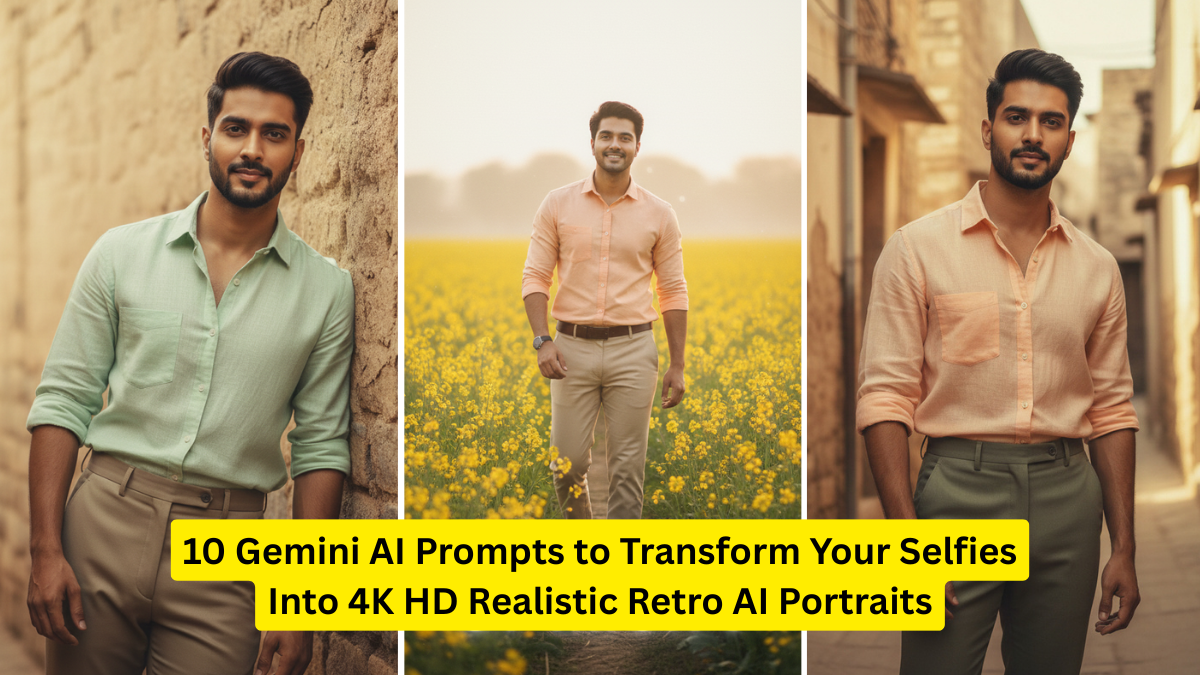
In the age of AI creativity, transforming regular selfies into 4K HD realistic retro portraits has become one of the most popular trends. Google’s Gemini AI is now a powerful tool that allows anyone — even without design skills — to create old-school, nostalgic, cinematic portraits that look straight out of the 60s, 70s, 80s, or 90s.
Whether you’re a content creator, a social media enthusiast, or someone who simply wants a unique profile picture, these Gemini AI prompts will help you achieve stunning, ultra-realistic retro effects.


This article explores 10 carefully crafted prompts, each designed to give your selfie a unique, high-definition retro look. You’ll also find a table summarizing prompt styles, ideal use cases, and output quality.
Why Use Gemini AI for Retro Portraits?
Gemini AI excels at generating sharp 4K outputs, clean textures, realistic lighting, and era-specific tones.
Here’s why it’s perfect for retro portraits:
- Accurate vintage color grading
- Ultra-sharp 4K rendering for portraits
- Cinematic film grain and analog camera effects
- Precise control over pose, lighting, and mood
- Fast and customizable output
With the right prompts, your selfies can be transformed into incredibly detailed portraits that look like professional studio shots from past decades.
10 Gemini AI Prompts for 4K HD Retro Portraits
Use these prompts directly in Gemini. Replace “<your photo>” with your uploaded selfie.
1. 1970s Vintage Film Portrait – Soft Warm Glow
Prompt:
Transform <your photo> into a 4K HD 1970s retro portrait with soft warm tones, natural sunlight glow, smooth skin texture, vintage film grain, analog camera effect, and subtle amber highlights. Make the portrait realistic, cinematic, and beautifully nostalgic.

Best for: Warm, soft retro edits with classic vintage mood.
2. 1980s Studio Glamour Portrait – Sharp & Glossy
Prompt:
Create a 4K HD 1980s studio glamour portrait from <your photo>. Add glossy lighting, bold color saturation, soft neon reflections, smooth airbrushed skin, and a retro studio backdrop. Make it look like an authentic 80s photography studio shot.
Best for: Stylish glam portraits with dramatic lighting.
3. 1990s Film Camera Look – Matte & Clean
Prompt:
Generate a 4K HD 1990s realistic portrait from <your photo>. Use matte tones, clean color grading, light film grain, slight blur around edges, and a soft natural background. Keep the facial features sharp and realistic, like a 90s film camera photo.
Best for: Natural, nostalgic, subtle retro effect.
4. Retro Polaroid 600 Portrait – Minimal & Analog
Prompt:
Turn <your photo> into a 4K HD Polaroid 600 retro portrait. Add analog instant-film texture, slightly faded colors, soft shadows, and a classic Polaroid white frame. Maintain realism and vintage authenticity.
Best for: Polaroid-themed profile pictures.
5. Retro Hollywood Portrait – Black & White Glam
Prompt:
Transform <your photo> into a 4K HD black-and-white Hollywood retro portrait with dramatic lighting, intense contrast, soft shadows, and smooth film grain. Create a cinematic old-Hollywood glamour look.
Best for: Timeless monochrome portraits.
6. 1960s Magazine Cover Portrait – Soft Retro Print
Prompt:
Create a 4K HD 1960s magazine-style portrait from <your photo>. Add pastel tones, retro print texture, smooth soft-focus lighting, and clean facial detailing. Make it look like a real vintage magazine cover photo.
Best for: Aesthetic, editorial-style portraits.
7. Classic Retro Oil Painting Portrait – Artistic Look
Prompt:
Generate a 4K HD realistic retro oil painting portrait from <your photo>. Add textured brush strokes, warm lighting, artistic shading, and a classic vintage European art feel. Keep the face highly detailed and realistic.
Best for: Artistic profile photos.
8. Retro Cyberpunk Portrait – Neon 80s & 90s Vibes
Prompt:
Transform <your photo> into a 4K HD retro cyberpunk portrait with neon purple-blue lighting, chrome reflections, grainy film effect, and 80s futuristic vibes. Keep the face realistic and sharp.
Best for: Trendy futuristic-retro aesthetic.
9. Retro Bollywood 90s Portrait – Filmstar Effect
Prompt:
Create a 4K HD 1990s Bollywood-style portrait from <your photo>. Add warm cinematic lighting, subtle glow, light grain, and classic Indian retro film colors. Make the image look like a real movie photoshoot.
Best for: Bollywood-themed retro transformations.
10. Old Vintage Camera Portrait (Kodak / Fuji Film Look)
Prompt:
Turn <your photo> into a 4K HD portrait with 1970s–1990s Kodak/Fuji film aesthetics. Add warm tones, soft contrast, natural depth, and realistic analog grain. Keep the portrait clean, sharp, and extremely detailed.
Best for: Professional-quality retro portraits.
Comparison Table: Retro Portrait Styles
Here is a simple comparison of each prompt style, its mood, and when to use it:
| Prompt Style | Era/Theme | Mood & Tone | Best For | Output Quality |
|---|---|---|---|---|
| 1970s Warm Film | Soft warm glow | Nostalgic, dreamy | Soft portraits | 4K HD, warm |
| 1980s Glam Studio | Glossy studio | Bold, sharp | Fashion & glam | 4K HD, glossy |
| 1990s Film Camera | Matte film | Clean, natural | Simple portraits | 4K HD matte |
| Polaroid 600 | Instant film | Faded, analog | Aesthetic profiles | 4K HD retro |
| B&W Hollywood | Classic cinema | Dramatic | Monochrome looks | High-contrast |
| 1960s Magazine | Chic editorial | Elegant | Magazine-style shots | Smooth pastel |
| Retro Oil Painting | Artistic | Textured | Artistic render | Realistic 4K |
| Retro Cyberpunk | 80s tech | Neon, futuristic | Trendy visuals | 4K neon |
| Bollywood 90s | Film style | Warm, cinematic | Bollywood lovers | HD warm tones |
| Kodak/Fuji Retro | Analog realism | Natural vintage | Pro portraits | Sharp 4K |
Tips to Get the Best 4K Retro AI Output
Here are some practical tips to enhance your results:
1. Use a Clear, Well-Lit Selfie
AI performs best when the face is:
- Sharp
- Front-facing
- Well-lit
- Without shadows covering the eyes
Good input = perfect output.
2. Avoid Filters in Original Selfie
Modern color filters clash with retro effects. A clean RAW-style selfie ensures better results.
3. Try Multiple Angles
Different prompts work differently depending on angles. Experiment with:
- Front angles
- 45-degree side angles
- Slightly raised camera angle
4. Specify Era or Camera Type
Retro outputs become more accurate when you mention:
- 1970s, 80s, 90s
- Polaroid, Kodak, Fuji
- Film grain level
- Lighting mood
5. Increase Details in Each Prompt
Phrases like:
- “highly detailed”
- “sharp texture”
- “cinematic realism”
- “4K ultra-HD”
boost AI accuracy.
Conclusion
Retro portraits are more than just photos—they’re a celebration of old-school aesthetics blended with modern AI capabilities. With Gemini AI and the prompts in this guide, you can turn any selfie into a high-definition, realistic retro masterpiece that looks like it was taken decades ago using professional analog equipment.
Whether you’re aiming for a soft vintage glow, a bold 80s studio look, Bollywood charm, cyberpunk energy, or magazine-style elegance, these prompts unlock unlimited creative possibilities.
Experiment, refine, and create the perfect 4K retro portrait that matches your personality!